 LabelFlowFree label maker
Free label maker online that prints where it should.
LabelFlow is a free label maker online. Pick your sheet, like a 5160-compatible address layout, add text, a barcode or a QR code, and drop in your list from Excel. Every row becomes a label and the PDF prints at true size.
- ✓ Free, no sign up
- ✓ No download
- ✓ Works offline
- ✓ True-size PDF
- ✓ No watermark
For small shops, offices, schools, events and anyone with a pack of label sheets. Runs in the browser on phone, tablet and computer.
Why I made it
I just wanted 30 labels to print right.
Row five moves
The first rows look fine. Then by row five the text sits half a line too low and the whole sheet is wasted.
Word mail merge
Ten steps, a wizard and a template that never matches the box you bought. I just want my list on the labels.
Another login
Most online label makers want an account, then a plan, then they put their logo on your PDF.
So I built LabelFlow. Every size is measured, the PDF is the real page size, and the labels land on the labels.
How it works
Three steps and the sheet is printing.
- 1
Pick your sheet
Choose the number on your label box, like 5160 or 5163, or a 4×6 shipping label. The layout is already measured.
- 2
Design one label
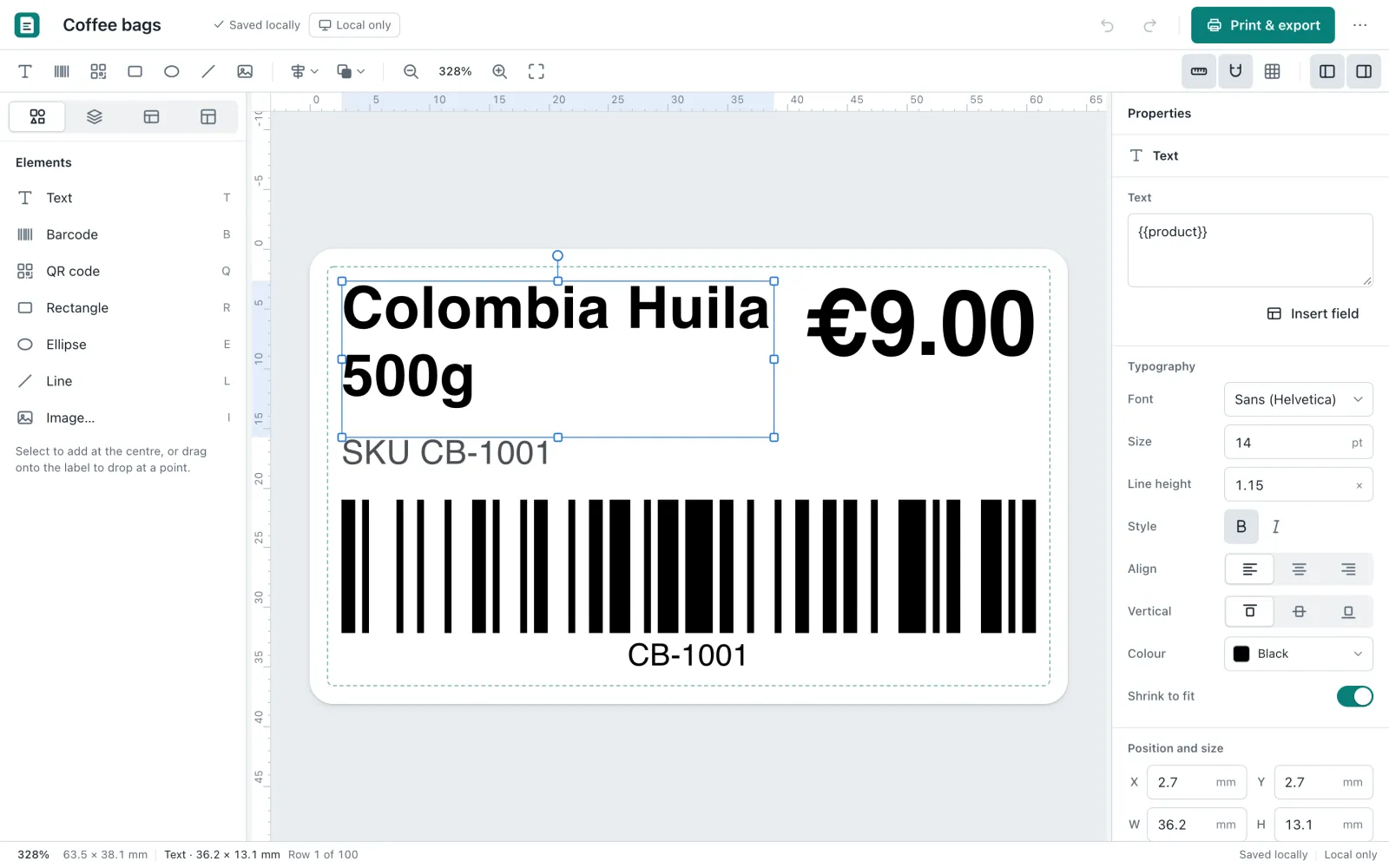
Add text, a barcode, a QR code or a logo. Want your list on it? Import the CSV and drop a column on the label.
- 3
Print at 100%
You get a PDF at the exact page size, one label per row. Print it at Actual size and it lines up.
Label templates
Find the number on your box. The layout is already there.
The common sheets are built in and measured to the micrometre: an Avery 5160 template layout, 8160, 5162, 5163, 5164, 5167 and 5366, plus 4×6 shipping labels and A4 sheets. Don't see yours? Type the label size and the sheet margins once and save it.
| Fits sheet | Label size | Labels | Good for |
|---|---|---|---|
| 5160 / 8160 | 1 × 2⅝ in | 30 per sheet | Address labels |
| 5162 | 1⅓ × 4 in | 14 per sheet | Address labels |
| 5163 | 2 × 4 in | 10 per sheet | Shipping, name tags |
| 5164 | 3⅓ × 4 in | 6 per sheet | Shipping, name tags |
| 5167 | ½ × 1¾ in | 80 per sheet | Return address labels |
| 5366 | ⅔ × 3 7⁄16 in | 30 per sheet | File folders |
| 4×6 | 4 × 6 in | Roll or single | Shipping label |
| L7160 / L7163 / L7651 | A4 sheets | 21 / 14 / 65 | Address, product, price |
Sheet numbers are used to show which sheets fit. LabelFlow is not made by or affiliated with Avery.
Print labels from Excel
Your list on the labels. One row, one label.
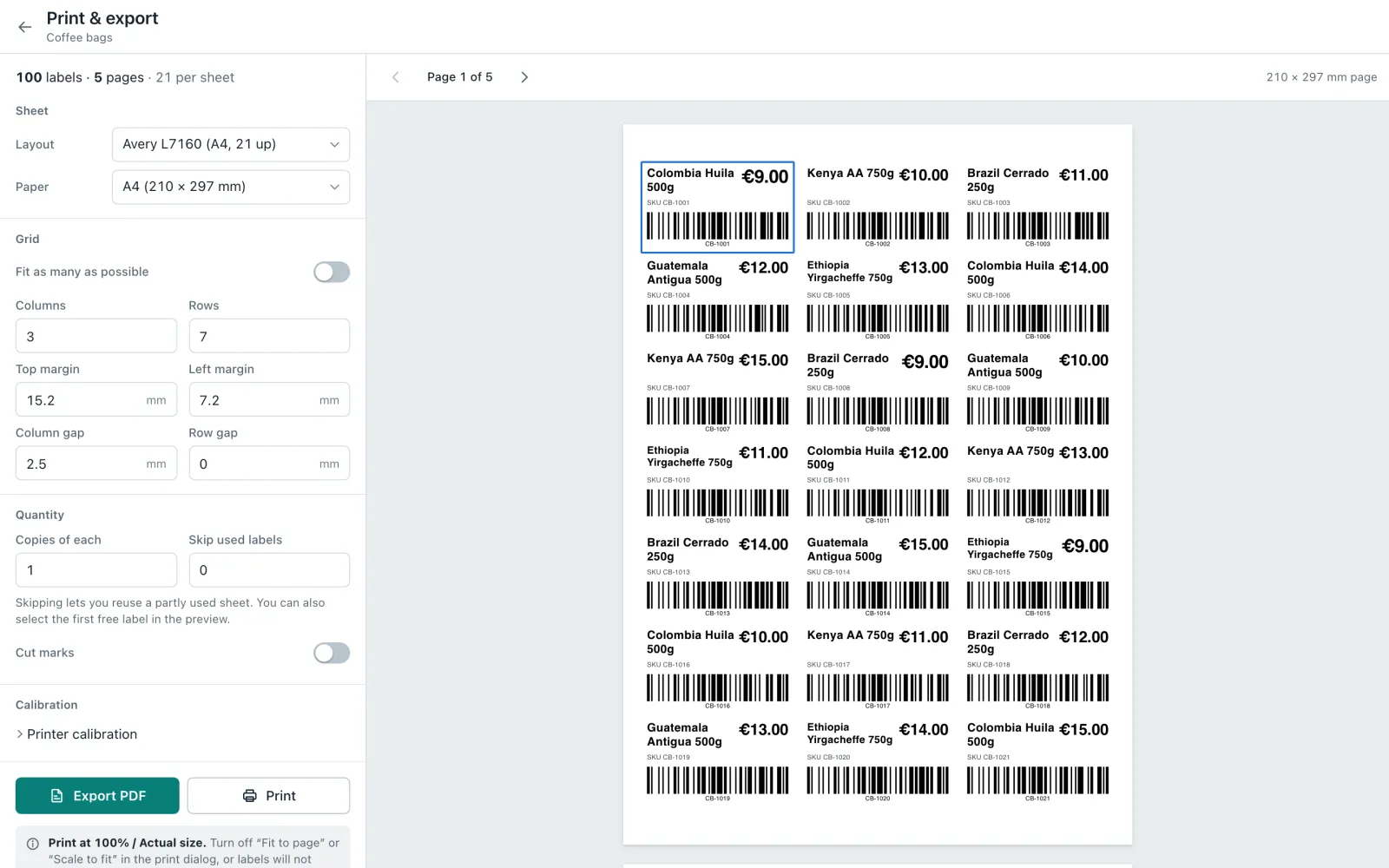
Save your Excel or Google Sheets list as CSV and import it. Then drop a column on the label, like name or price, and that's it. 100 rows turn into 100 labels, and the preview shows every page before you print. So it's mail merge labels from Excel, just without Word.
- CSV from Excel, Google Sheets or Numbers
- Columns go anywhere on the label
- Skip used labels on a half-used sheet
- Copies per row
Address labels
The 5160 template that actually lines up.
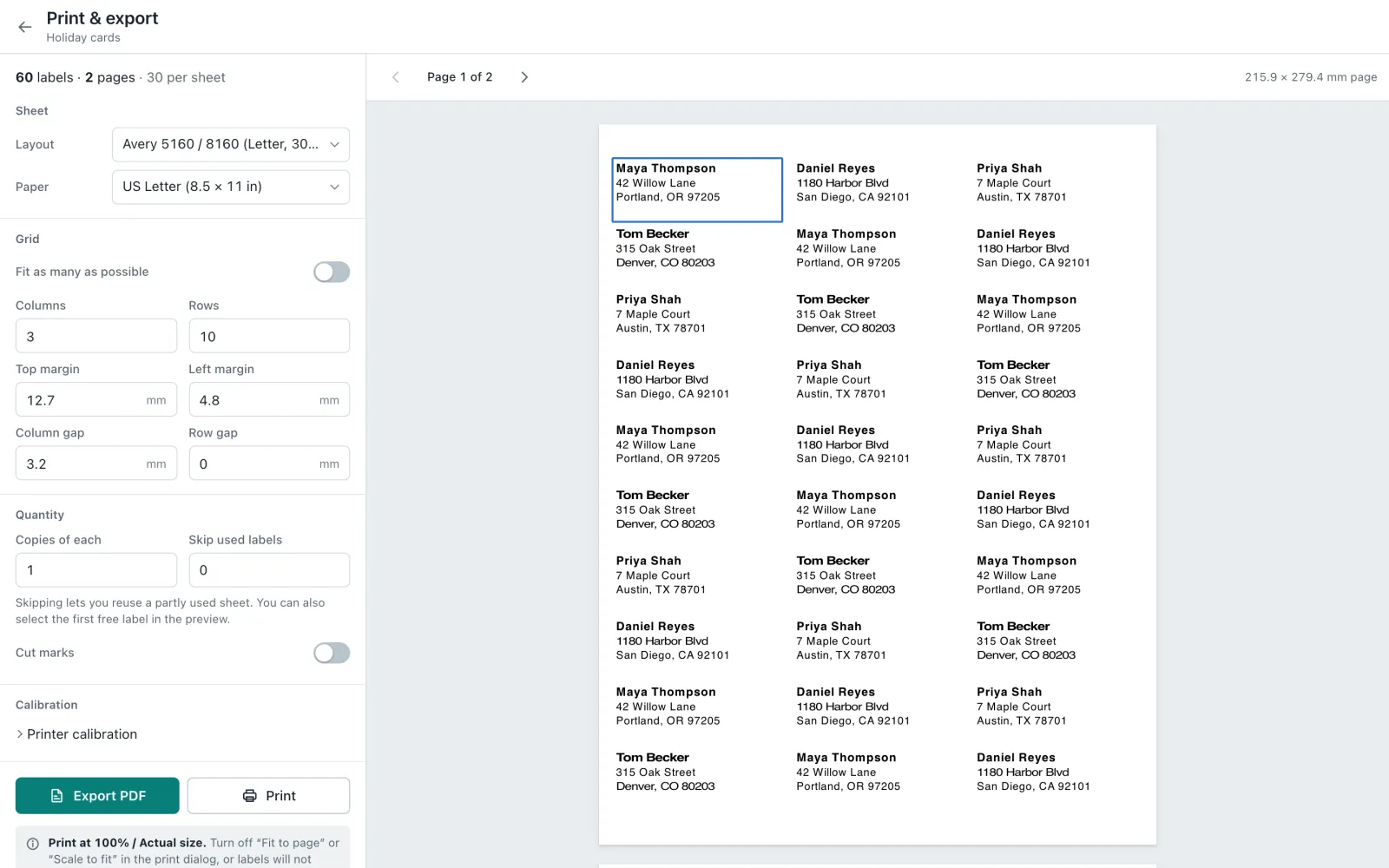
Looking for an Avery 5160 template? LabelFlow has a 5160-compatible layout already measured, 30 labels on US Letter. Same for 8160. Use the address template, import your address list and print. It's the address label maker I wanted for holiday cards.
- 5160 and 8160 compatible, 30 per sheet
- Return address labels on 5167, 80 per sheet
- Name and three address lines, ready to edit
- Text shrinks to fit long names
Barcode and QR code labels
Asset tags and inventory labels that number themselves.
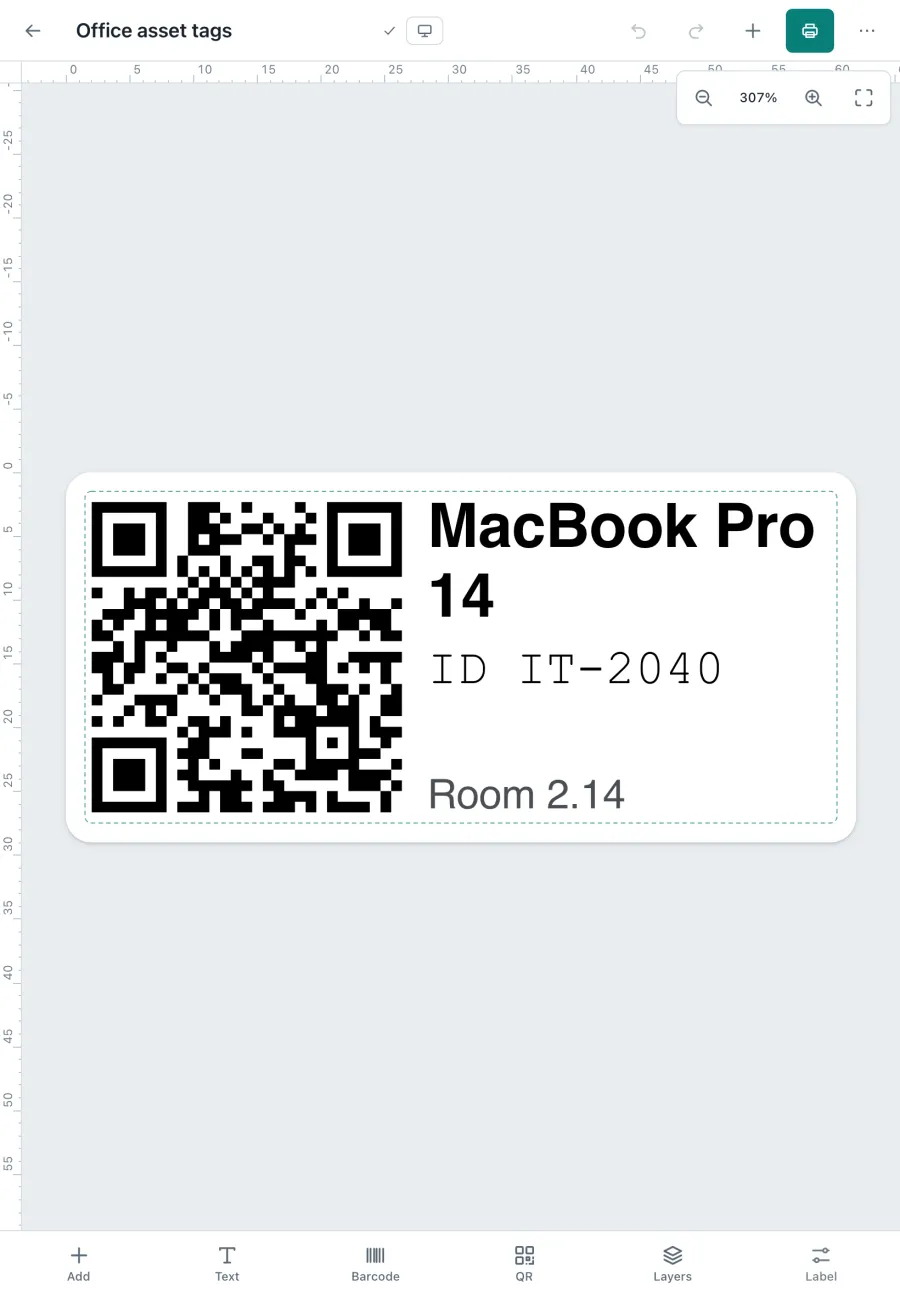
Add a barcode or a QR code and point it at a column. Now every label gets its own code, IT-2040, IT-2041 and so on. I use it for asset tags with barcode on laptops and screens. It works for inventory labels and product labels too.
- Code 128, EAN-13, UPC-A, Code 39 and QR
- Codes check themselves and tell you what's wrong
- Value typed by hand or from your list
- Thermal rolls and Brother DK labels
Label maker online
Works on the phone too. Not a shrunk website.
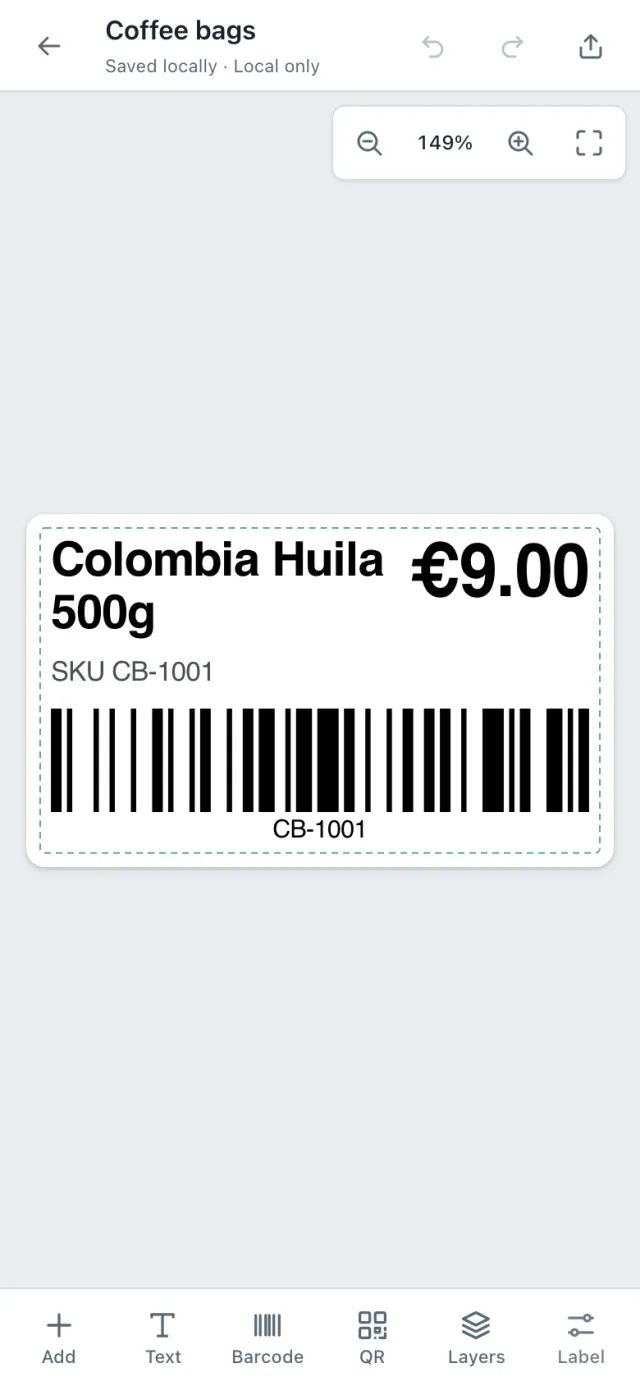
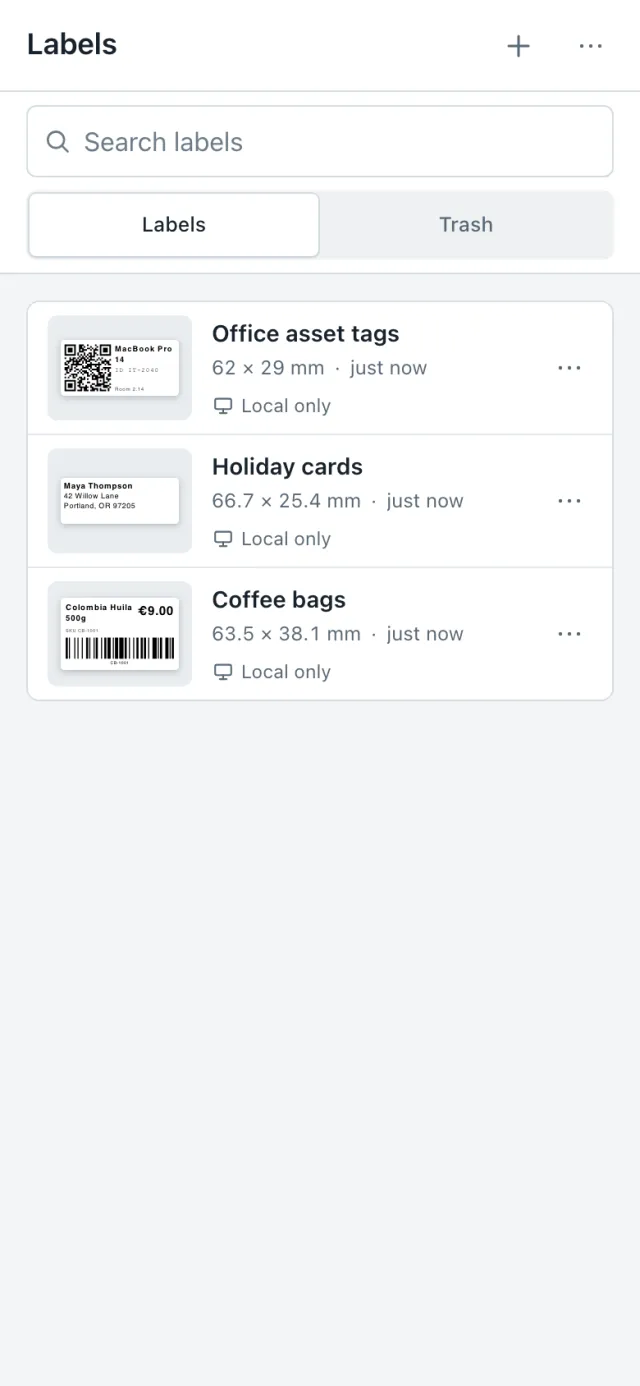
On the phone you get a real editor: big buttons at the bottom, drag to move, pinch to zoom. Add text, a barcode or a QR, then send the PDF to the printer. It's the label maker online I keep on my home screen.
- Phone, tablet and computer layouts
- Install it from the browser, opens full screen
- Works offline after the first visit
- Light and dark mode
Runs anywhere
One app on your phone, your iPad and your computer.
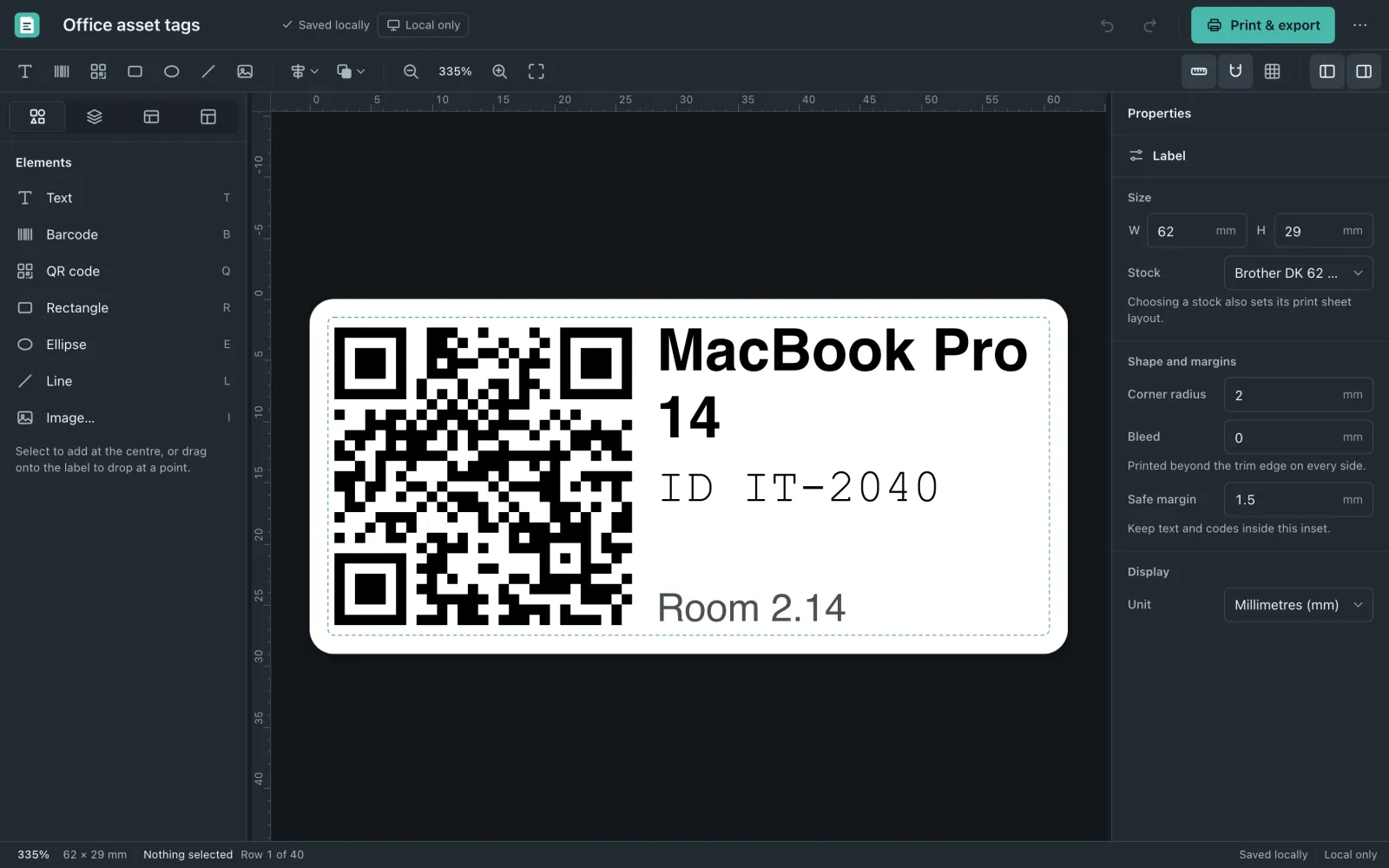
LabelFlow is a web app. Open the link in Safari, Chrome or Edge and start. Add it to your home screen and it opens full screen with its own icon. Each device gets its own layout, so it feels like an app and not a website.
Compare
Why not just use Word?
| LabelFlow | Word mail merge | Paid label software | |
|---|---|---|---|
| Price | Free | Comes with Office | Monthly or one-time fee |
| Sheet layouts | Measured, pick the number | Search the template, hope it fits | Yes |
| Labels from a list | Import CSV, drop columns | Mail merge wizard | Usually |
| Barcodes and QR codes | Built in | Add-ins or fonts | Yes |
| Phone and tablet | Yes, made for touch | Hard | Often desktop only |
| Account | None | Microsoft account | Yes |
And also
The small stuff.
Shipping label template
4×6 with ship to, from and a tracking barcode. Or 5163 and 5164 sheets.
Name tag maker
Import your guest list, put the name on a 2×4 label. Ten name tags a sheet.
Any size
Your own label size and sheet in mm or inches. Rulers show the real size.
Price tags
Small A4 price tags, 65 per sheet, with big numbers.
Saved as you go
Every change is saved on your device. Close the tab, it's still there.
Backup file
Export everything to one file and bring it back on another device.
Questions
Questions people ask me.
Is LabelFlow really a free label maker online?
Yes. You design and print labels for free. No sign up, no trial and no watermark on the PDF. It runs in your browser and you can install it like an app.
Do you have an Avery 5160 template?
Yes, there is a 5160-compatible layout: 30 labels per sheet, 1 × 2⅝ in, on US Letter. The 8160 sheet is the same size, so the same layout works for an Avery 8160 template too. Pick it, type or import your addresses and print at 100%.
Which other label sheets fit?
Sheets compatible with 5162, 5163, 5164, 5167 and 5366, a 4×6 shipping label, 2¼ × 1¼ in thermal labels, Brother DK 62 × 29 mm and the A4 sheets L7160, L7163 and L7651. You can also set any label and sheet size yourself.
Can I print labels from Excel?
Yes. In Excel use File, Save as, CSV. In Google Sheets use File, Download, CSV. Import that file in LabelFlow and drop your columns on the label. Every row becomes one label. It is mail merge labels from Excel without opening Word.
Can I make barcode labels and QR code labels?
Yes. LabelFlow makes Code 128, EAN-13, UPC-A and Code 39 barcodes and QR codes. The value can come from a column in your list, so asset tags with barcodes or inventory labels number themselves. For products sold in stores you still need real UPC or EAN numbers from GS1.
Is there an address label maker for return address labels?
Yes. Start from the address template on a 5160-compatible sheet, or use the 5167-compatible sheet for small return address labels, 80 per page.
Do you have a 4×6 shipping label template?
Yes. The shipping label template is 4×6 in with ship to, from and a tracking barcode. For sheets there are 2 × 4 in (5163) and 3⅓ × 4 in (5164) layouts.
Can I use it as a name tag maker?
Yes. Use a 2 × 4 in or 3⅓ × 4 in sheet as your name tag template, import your guest list and put the name column on the label. One sheet, ten or six name tags.
My labels print a bit off. What do I do?
Print the PDF at 100% or Actual size, never Fit to page. The PDF has the exact page size. If your printer still shifts a little, set a small offset in the print settings and print again.
Where are my labels saved?
On your device. LabelFlow saves as you work and works offline after the first visit. Nothing goes to a server. You can export a backup file any time.
Free, no download
Make your next sheet of labels in LabelFlow.
Open it in your browser, pick your sheet and print. No account and no download. Your labels stay on your device.