 ScopePadFree for contractors
Send the estimate before you leave the driveway.
ScopePad is free estimating software for contractors. It turns a site visit into a clean PDF estimate in minutes, then into invoices, deposits and progress bills when the client says yes. No download, and it works without signal.
- ✓ Free, no trial
- ✓ No download
- ✓ Works offline
- ✓ No watermark on PDFs
For roofers, painters, plumbers, electricians, HVAC, tile, concrete and handyman pros. Runs in the browser on phone, tablet and computer.
Sound familiar?
Jobs are not lost on the roof. They are lost at the kitchen table.
The 10 pm estimate
You measured at 9 am. You typed it up after dinner. By then the homeowner already said yes to the crew who quoted on the spot.
Napkins and spreadsheets
Prices in one place, photos in another, the deposit in your head. Something always slips, usually the money.
Another monthly bill
Most estimate apps charge every month and want a login, an upgrade and a signal before they do anything useful.
ScopePad takes the paperwork off your evening, so the first clean quote the homeowner gets is yours.
How it works
From walk-through to paid in three steps.
- 1
Price the job on site
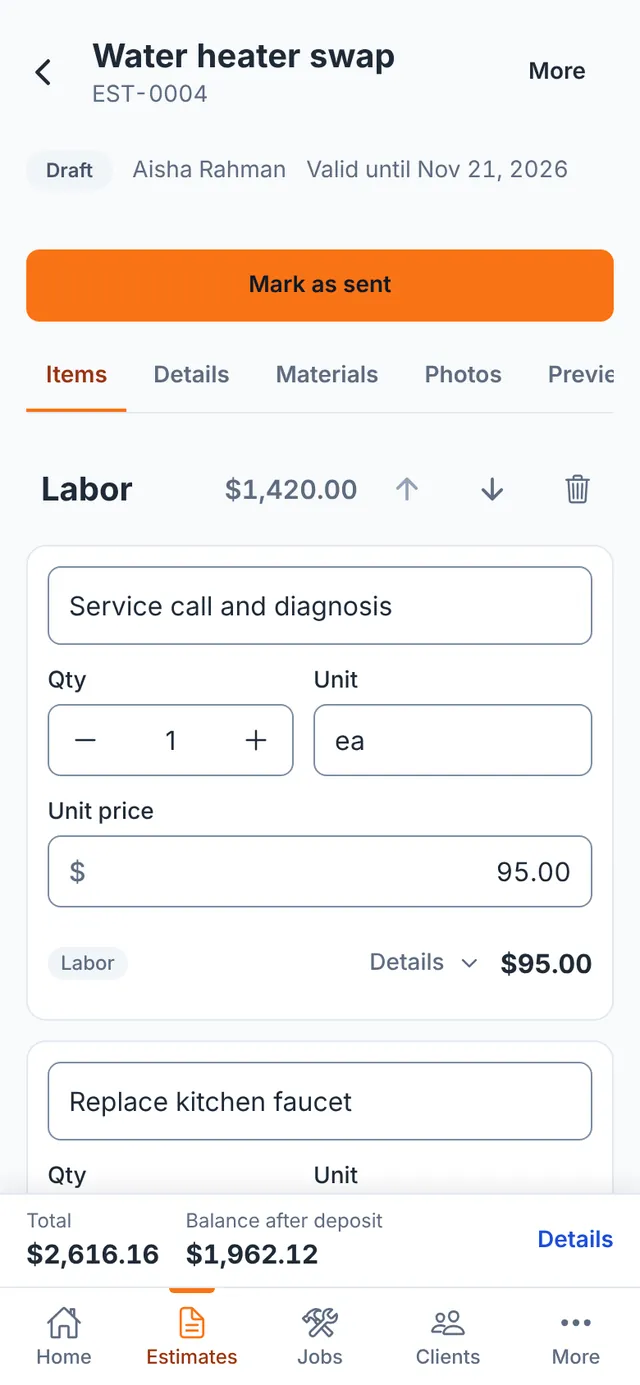
Start from a trade template or your own price list, adjust quantities and the total updates as you type.
- 2
Send a clean PDF
Your logo, your terms, line items and totals. Download, print or share it straight from your phone.
- 3
Invoice and get paid
Approved? Bill the full amount, a deposit, a percentage or milestones, and record payments as they come in.
The tour
Everything between “come take a look” and “paid in full”.
Estimates
Price the job while you are still standing in it.
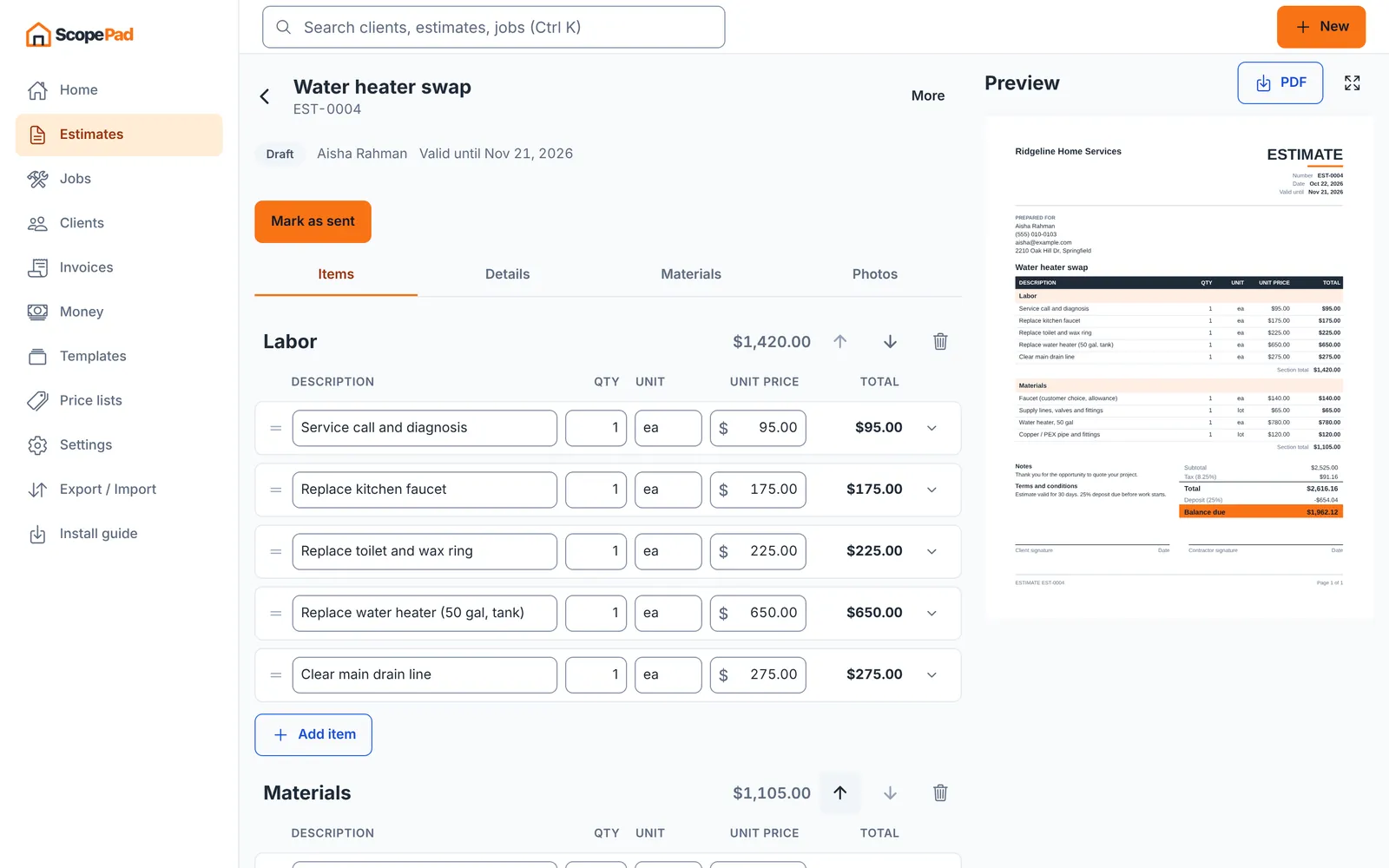
As a free estimate creator for the job site, ScopePad lets you start from a template for your trade or your own price list, type quantities with big touch-friendly fields, and watch the total update. Every keystroke is saved, so a dropped call or a dead battery never costs you the estimate.
- Templates for roofing, painting, concrete, tile, plumbing, electrical, HVAC, handyman and auto repair
- Your own price list with categories, bulk price changes and CSV import
- Sections, labor and material lines, discounts, deposits and credit lines
- Markup stays internal: clients see one clean price per line
PDF estimates
A PDF that looks like you have an office manager.
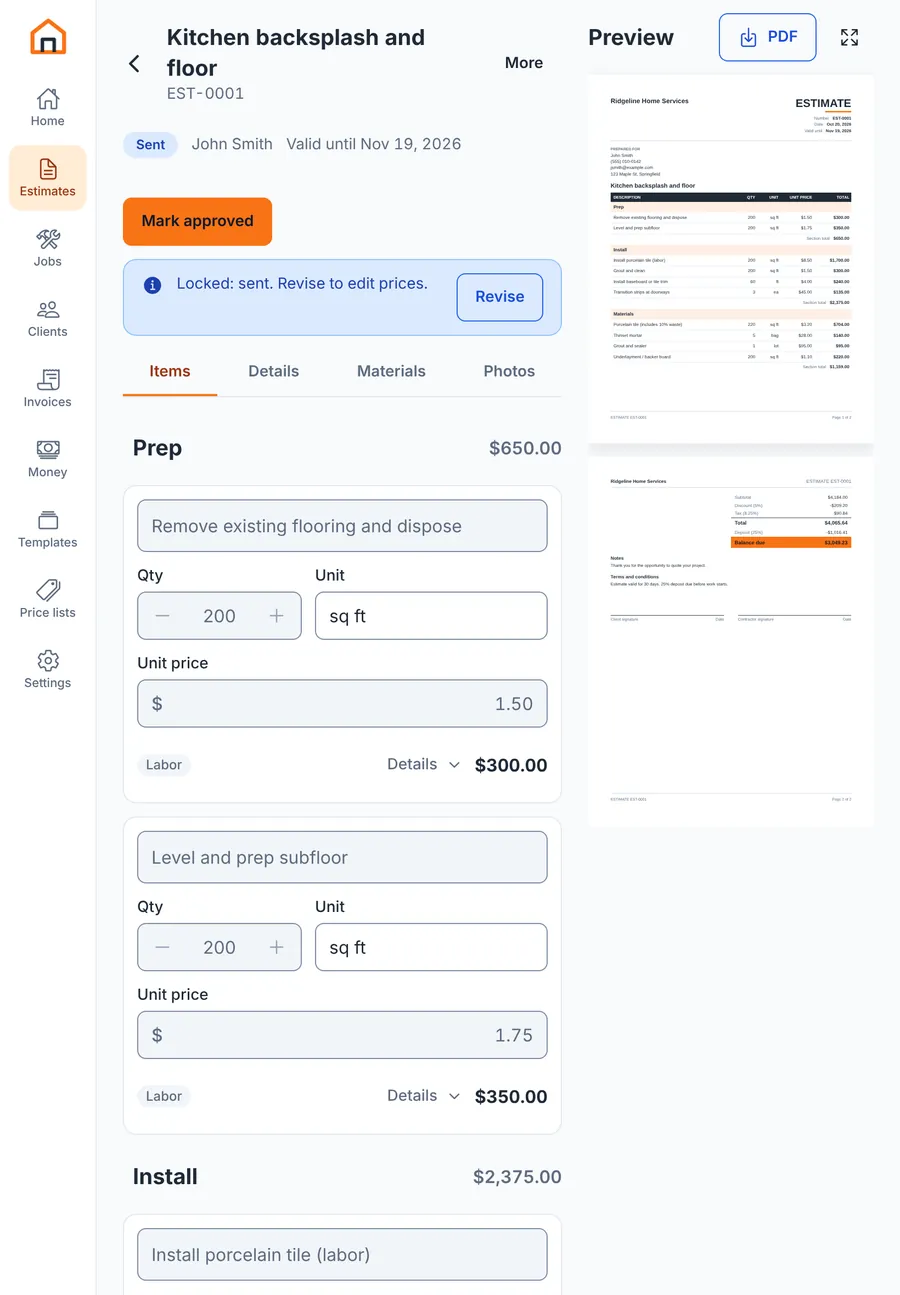
The preview updates next to the editor as you work, so what you see is exactly what the client gets. Your logo, your colors, line items, tax, deposit and a signature line. Download, print or share it from your phone in one tap.
- Live preview beside the editor on tablet and computer
- Your logo, accent color, notes and terms
- Letter or A4, with or without line prices
- No “made with” watermark, ever
Invoices
From “yes” to invoice in two taps.
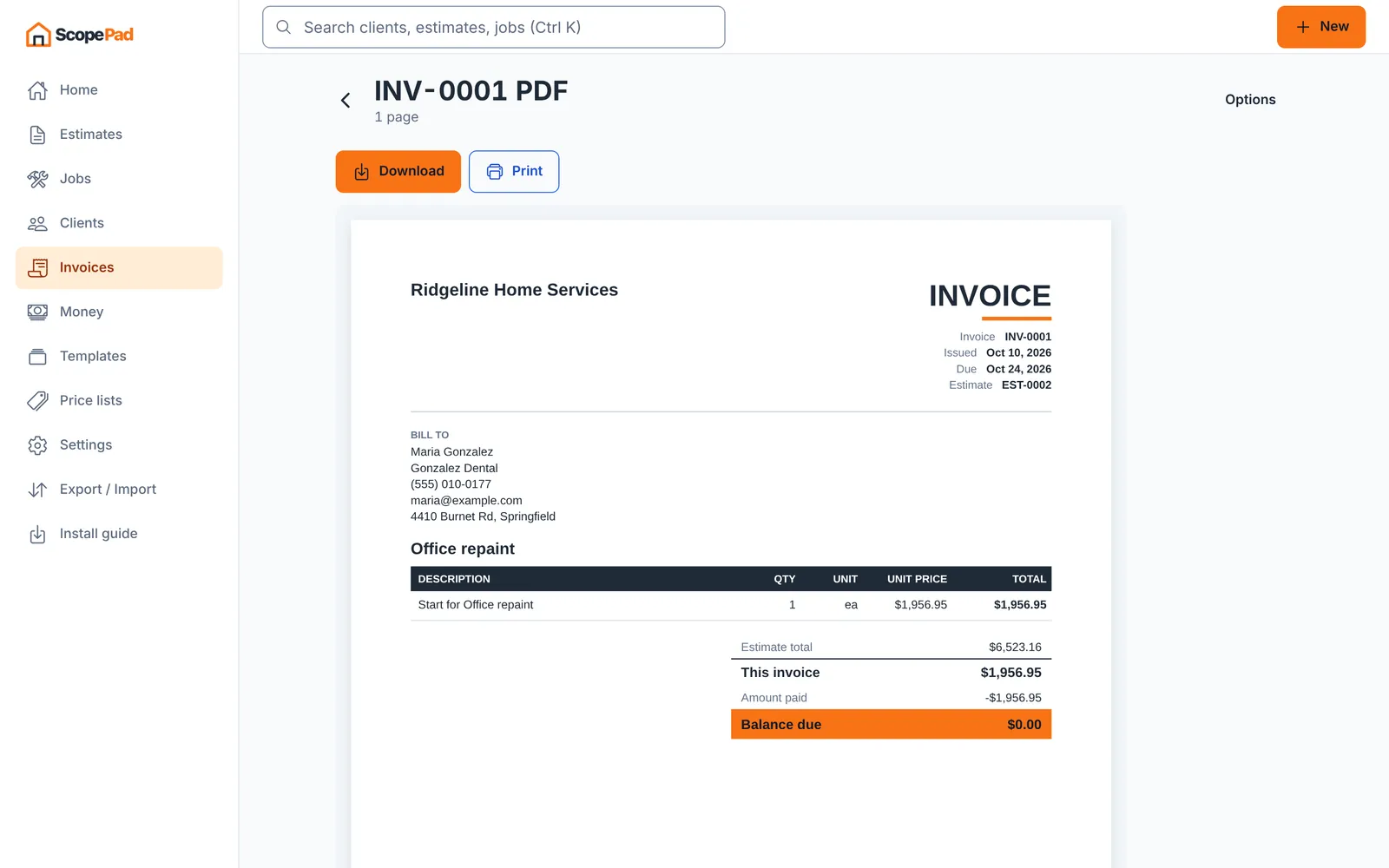
Mark the estimate approved and bill it the way the job is paid: the full amount, the deposit, a percentage, or a milestone plan. Extra work goes on a change order, so the revised total is always clear. As contractor invoicing software, ScopePad keeps track of what is left to bill.
- Deposit, progress and milestone billing from one estimate
- Change orders that roll into the revised total
- Record cash, check, card or bank payments
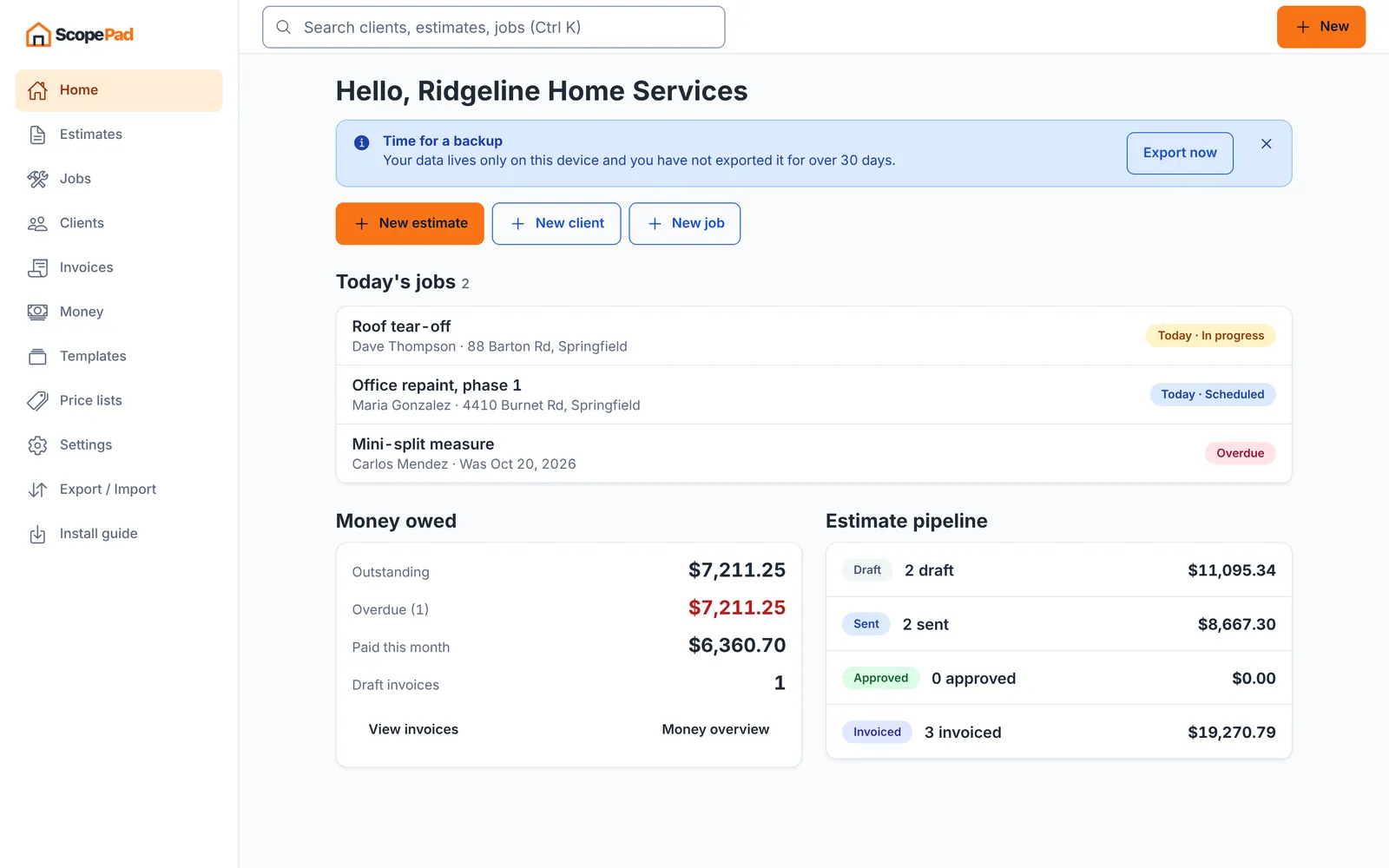
- Overdue invoices flagged on the home screen
Money
Know who owes you, without opening a spreadsheet.
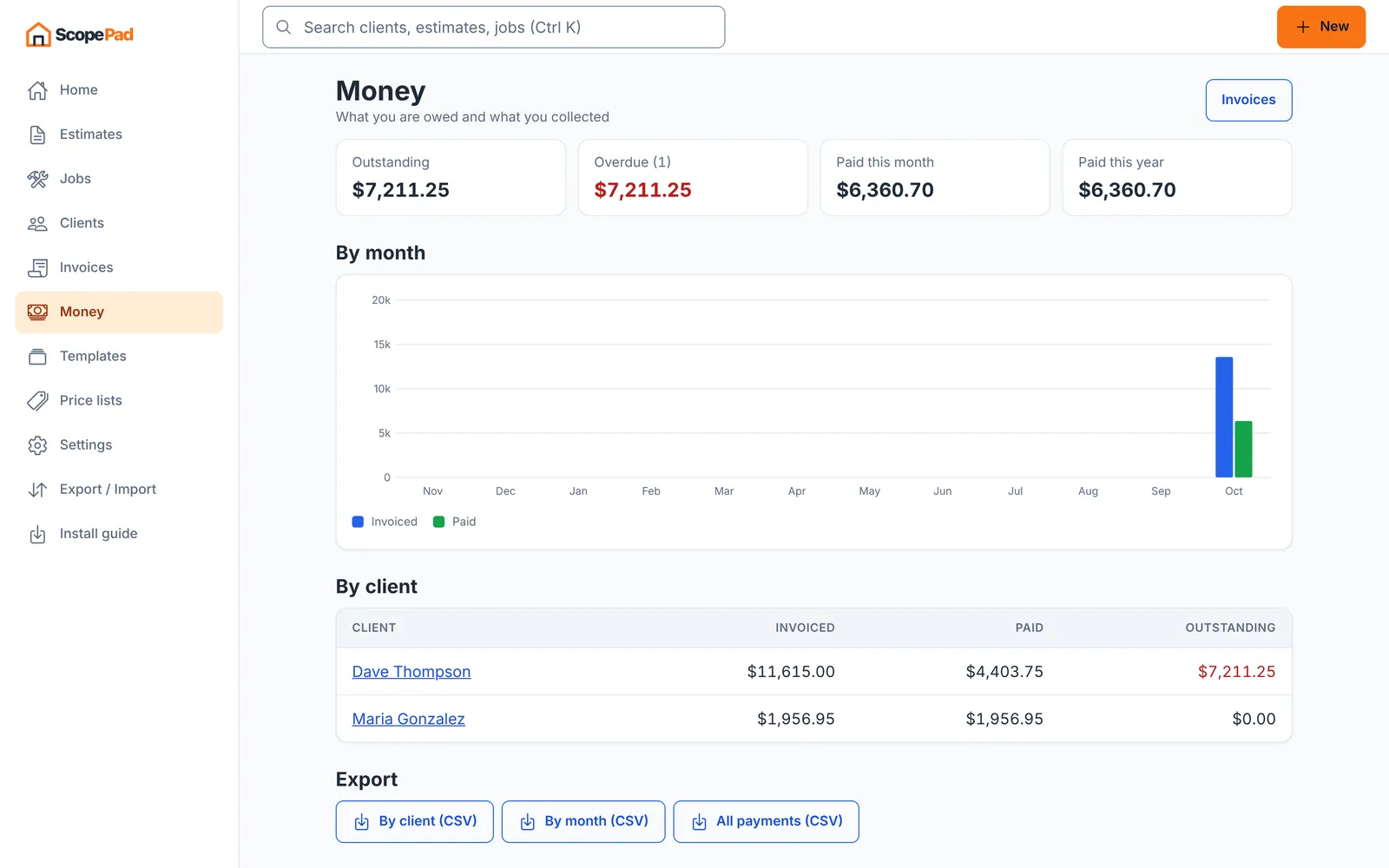
One screen shows what is outstanding, what is overdue and what came in this month and this year, by month and by client. When tax time comes, export the numbers your bookkeeper asks for.
- Outstanding, overdue and paid at a glance
- Invoiced vs. paid by month
- Totals per client
- CSV exports for your bookkeeper
Jobs
Every job, from first call to done.
Leads, scheduled, in progress, completed: move jobs along the board or see them on a calendar. Each job keeps its client, address, checklist, photos, estimates and invoices together.
- Board and calendar views
- Checklists per job
- Site photos with markup
- Overdue visits highlighted
Materials
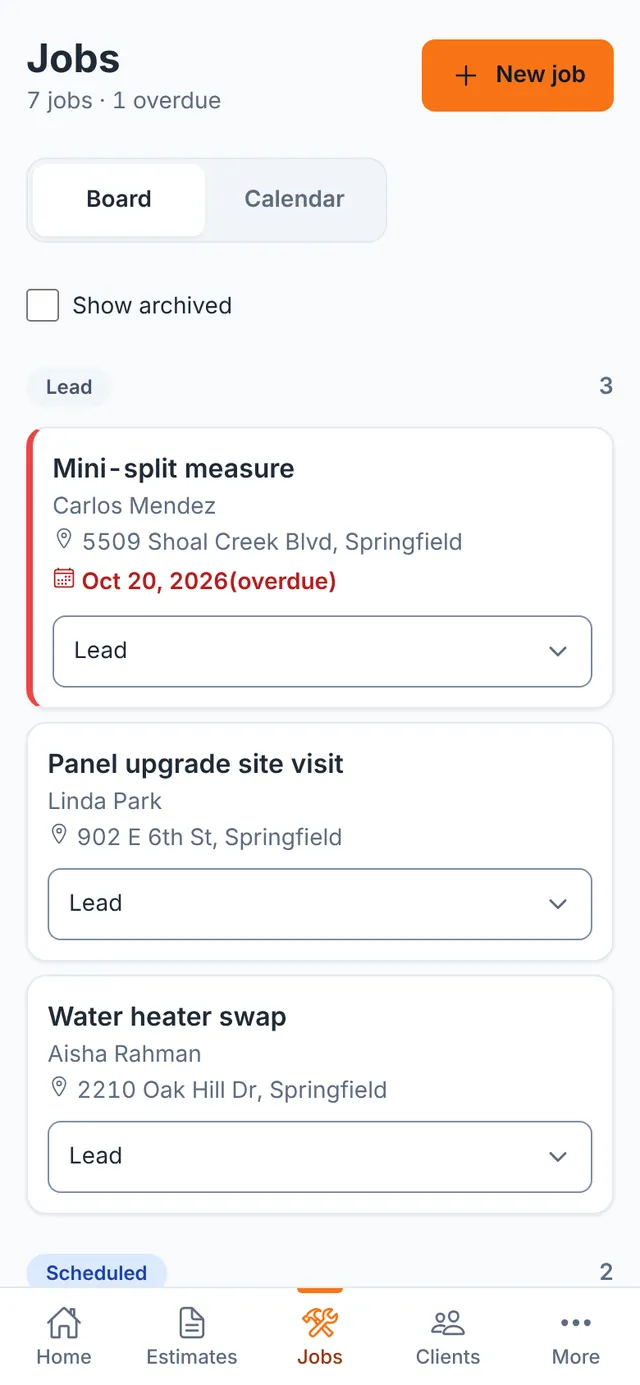
The shopping list writes itself.
ScopePad pulls the materials out of your estimate, groups the same items and adds a waste factor for cuts and breakage. Copy it, print it, or text it to whoever is doing the supply run.
- Grouped quantities from every material line
- Waste factor per estimate
- Cost column from your prices
- Copy, share or print
Runs anywhere
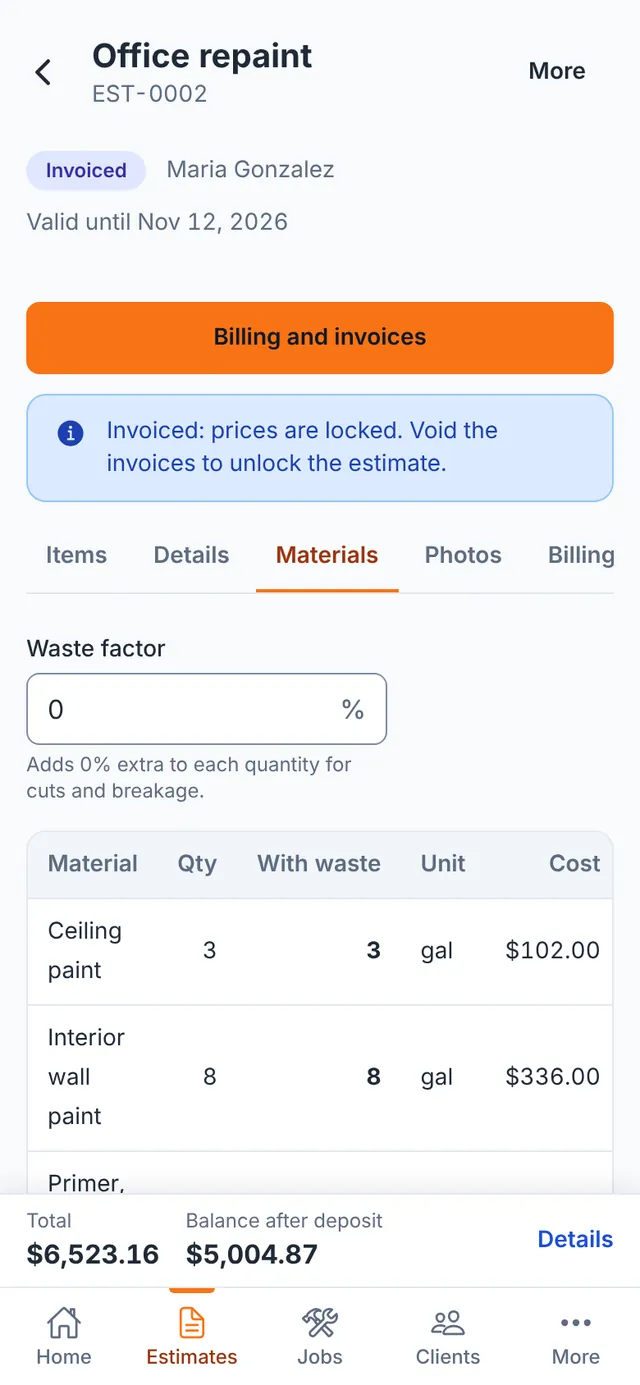
One app on your phone, your tablet and the office computer.
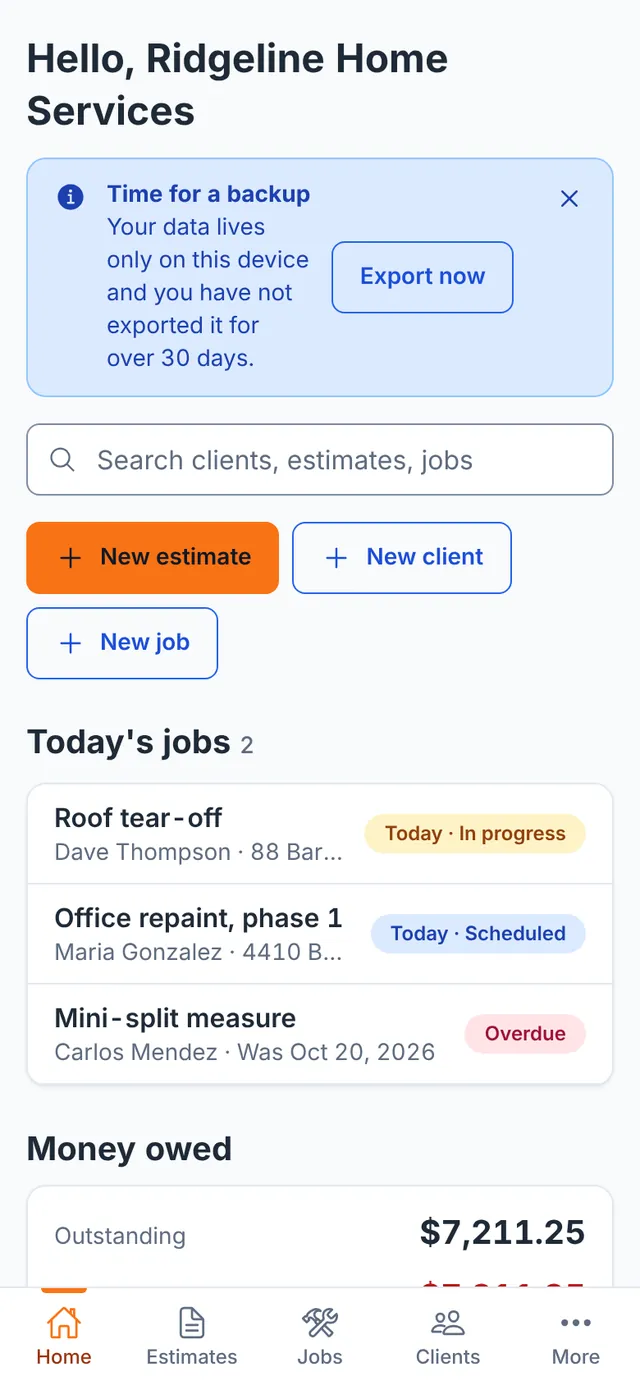
ScopePad is a web app. Open the link in Safari, Chrome or Edge and it is ready, no app store and no download. Add it to your home screen and it opens full screen with its own icon, like any other app. The layout adapts: big touch targets on the phone, the live PDF beside the editor on a tablet, and table rows with keyboard shortcuts on a computer.
Works with no signal
After the first visit ScopePad lives on your device. Basements, rural jobs and dead zones: estimates, invoices and PDFs still work.
Installs in ten seconds
iPhone: Share, then Add to Home Screen. Android and computers: the install button in the browser. Updates arrive on their own.
iPhone, Android, iPad, Mac, Windows
Any modern browser. No new phone, no app store account, no IT person needed.
Your data
Your clients and prices stay yours.
Your estimates, prices, clients and photos are stored on your own device, not on our servers. No ads in your workflow, no tracking of your customers, nothing sold. PDFs are made on your phone.
The honest part
Because your work lives on your device, a lost phone or cleared browser data takes it with it. ScopePad makes backups easy: one tap exports everything to a single file, CSV exports for spreadsheets, and a reminder every 30 days if you have not backed up.
Compare
Built for the truck, not for the sales demo.
| ScopePad | Typical estimate apps | Pen and paper | |
|---|---|---|---|
| Price | Free | Monthly subscription | Free |
| Works without signal | Yes | Depends on the app | Yes |
| Install | Open a link, add to home screen | App store download and login | None |
| Professional PDF | Yes, no watermark | Yes, depending on the plan | No |
| Deposits and progress billing | Yes | Depending on the plan | By hand |
| Your data | On your device, export any time | On their servers | In the truck |
And the details
The small things that save the day.
Photos and markup
Snap site photos, circle the problem, add them to the estimate.
Clients
Phone, email, several addresses, tax-exempt flag and full history.
Search everything
Clients, estimates, jobs and invoices from one box. Ctrl K on a computer.
Locked once sent
Sent estimates are locked, so the price the client saw never changes by accident.
Dark mode
Easy on the eyes in the truck at 5 am.
English and German
German formats, 19 % and 7 % VAT per line, Abschlags- and Schlussrechnung.
Questions
What contractors ask first.
Is ScopePad really free?
Yes. Estimates, invoices, PDFs, templates, price lists, jobs and the money overview are free. There is no trial that runs out and no watermark on your PDFs.
Is this really free construction estimating software?
Yes. ScopePad is free estimating software for contractors: build estimates from trade templates and your own price list, send PDFs with your logo, and keep jobs and clients in one place. There is no trial that runs out and no watermark on your PDFs.
Can I use ScopePad as contractor invoicing software?
Yes. Turn an approved estimate into an invoice for the full amount, a deposit, a percentage or a milestone plan, record payments, and see what is overdue. It works as contractor billing software without a separate invoicing app.
Do I need to download anything?
No. ScopePad runs in the browser on iPhone, Android, iPad and any computer. Add it to your home screen and it opens like an app, full screen and with its own icon.
Does it work without signal?
Yes. After the first visit ScopePad is saved on your device. You can write estimates, create invoices and make PDFs in a basement or on a roof with no connection.
Where is my data stored?
On your device. Your clients, prices and photos are not uploaded to our servers. Because of that, export a backup now and then: one tap saves everything to a file you keep.
Can I bill a deposit or progress payments?
Yes. From an approved estimate you can invoice the whole amount, the deposit, a percentage or a milestone plan. ScopePad tracks what is left to bill and marks overdue invoices.
Which trades does it cover?
Roofing, painting, concrete, tile and flooring, plumbing, electrical, HVAC, handyman and auto repair come with starter templates and price lists. Any other trade works with your own items.
Can I use it in German?
Yes. ScopePad speaks English and German, with German number formats, 19 % and 7 % VAT per line, Kleinunternehmer mode and invoice types like Abschlags- and Schlussrechnung.
Free, no download
Price your next job in ScopePad.
Open it in your browser, add your business details and send your first estimate. No account needed, and your data stays on your device.